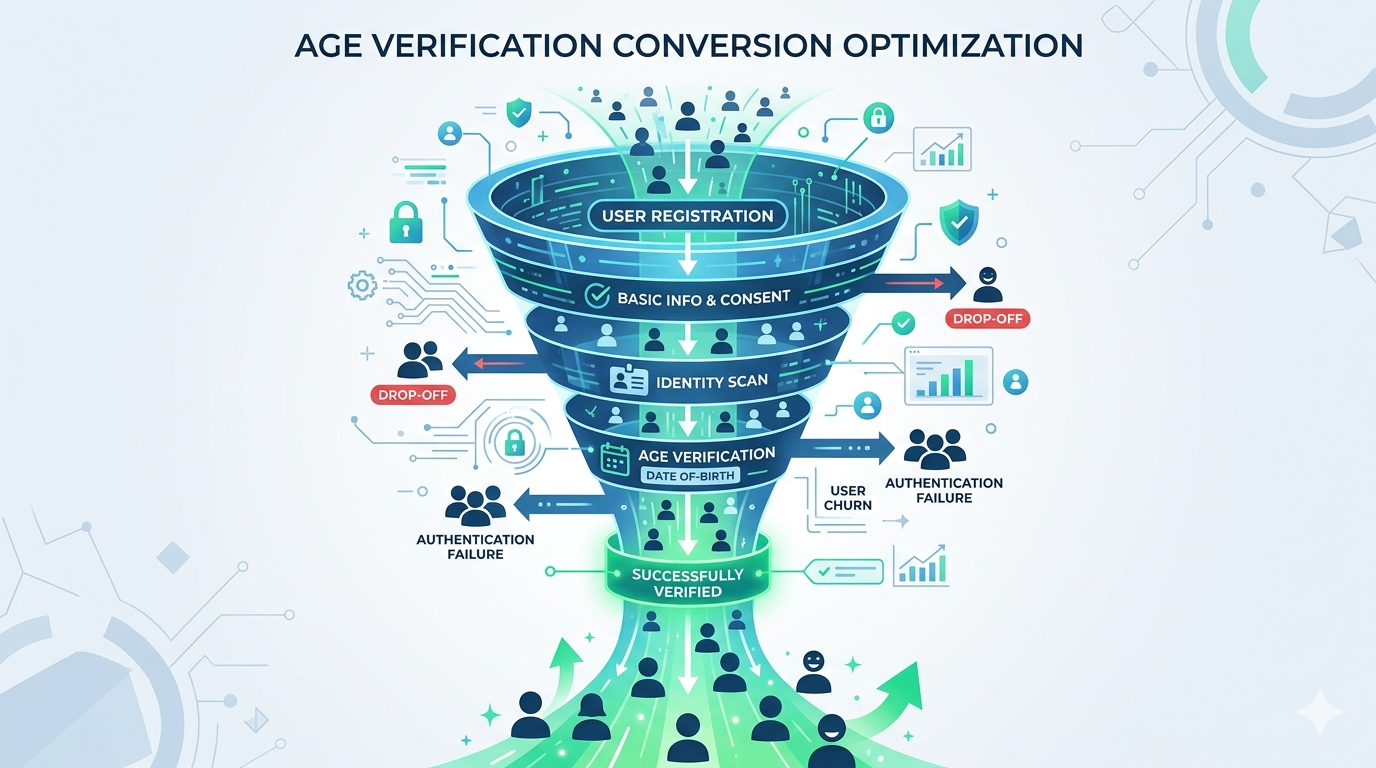
Adding age verification to your website doesn’t have to be complicated. In this guide, we’ll walk through integrating Xident in under 5 minutes.
Prerequisites
- A Xident account (join the waitlist)
- Your API key from the dashboard
- A website where you want to add verification
Step 1: Install the SDK
Add the Xident SDK to your page:
<script src="https://cdn.xident.io/sdk/v1/xident.min.js"></script>Or install via npm:
npm install @xident/sdkimport { Xident } from '@xident/sdk';Step 2: Initialize
Initialize the SDK with your public API key:
Xident.init({
  apiKey: 'pk_live_your_api_key_here',

  // Called when verification succeeds
  onVerified: (result) => {
    console.log('User verified!', result);
    // result.token - Store this for the session
    // result.method - 'full' | 'token' | 'login'
    showProtectedContent();
  },

  // Called if verification fails or is cancelled
  onError: (error) => {
    console.error('Verification failed:', error);
  }
});
Step 3: Trigger Verification
Call verify() when you want to verify a user:
// Simple usage
document.getElementById('verify-button').onclick = () => {
  Xident.verify({ minAge: 18 });
};
With more options:
Xident.verify({
  minAge: 18,

  // Allow returning users to log in with Xident ID
  allowXidentId: true,

  // Customize the UI
  theme: 'light', // 'light' | 'dark' | 'system'

  // Your brand
  brandName: 'Your Site Name',
  brandLogo: 'https://yoursite.com/logo.png'
});
Step 4: Handle the Token
When verification succeeds, you receive a token:
onVerified: (result) => {
  // Store token in localStorage for returning users
  localStorage.setItem('xident_token', result.token);

  // Optionally verify on your backend
  fetch('/api/verify-age', {
    method: 'POST',
    headers: { 'Content-Type': 'application/json' },
    body: JSON.stringify({ token: result.token })
  });

  // Show protected content
  document.getElementById('protected-content').style.display = 'block';
  document.getElementById('age-gate').style.display = 'none';
}
Step 5: Backend Verification (Optional)
For extra security, verify the token on your backend:
// Node.js example
const response = await fetch('https://api.xident.io/v1/tokens/verify', {
  method: 'POST',
  headers: {
    'Content-Type': 'application/json',
    'X-API-Key': process.env.XIDENT_PUBLIC_KEY,
    'X-API-Secret': process.env.XIDENT_SECRET_KEY
  },
  body: JSON.stringify({ token: userToken })
});

const { valid, age_threshold } = await response.json();

if (valid && age_threshold >= 18) {
  // User is verified
}
Complete Example
Here’s a full working example:
<!DOCTYPE html>
<html>
<head>
  <title>Age Verified Content</title>
  <script src="https://cdn.xident.io/sdk/v1/xident.min.js"></script>
</head>
<body>
  <!-- Age Gate -->
  <div id="age-gate">
    <h1>This content is age-restricted</h1>
    <p>You must be 18 or older to access this content.</p>
    <button id="verify-btn">Verify My Age</button>
  </div>

  <!-- Protected Content (hidden by default) -->
  <div id="protected-content" style="display: none;">
    <h1>Welcome!</h1>
    <p>You've been verified. Enjoy the content.</p>
  </div>

  <script>
    // Check for existing token
    const existingToken = localStorage.getItem('xident_token');

    Xident.init({
      apiKey: 'pk_live_your_key',

      onVerified: (result) => {
        localStorage.setItem('xident_token', result.token);
        document.getElementById('age-gate').style.display = 'none';
        document.getElementById('protected-content').style.display = 'block';
      },

      onError: (error) => {
        alert('Verification failed. Please try again.');
      }
    });

    // Auto-verify if returning user
    if (existingToken) {
      Xident.verify({ token: existingToken });
    }

    // Manual verification
    document.getElementById('verify-btn').onclick = () => {
      Xident.verify({ minAge: 18, allowXidentId: true });
    };
  </script>
</body>
</html>
React Integration
For React apps:
import { XidentProvider, useXident } from '@xident/react';

function App() {
  return (
    <XidentProvider apiKey="pk_live_your_key">
      <AgeGatedContent />
    </XidentProvider>
  );
}

function AgeGatedContent() {
  const { verify, isVerified, isLoading } = useXident();

  if (isLoading) return <div>Checking verification...</div>;

  if (!isVerified) {
    return (
      <div>
        <h1>Age Verification Required</h1>
        <button onClick={() => verify({ minAge: 18 })}>
          Verify My Age
        </button>
      </div>
    );
  }

  return <ProtectedContent />;
}
Next Steps
Need help? Contact our support team.